
Technical notes
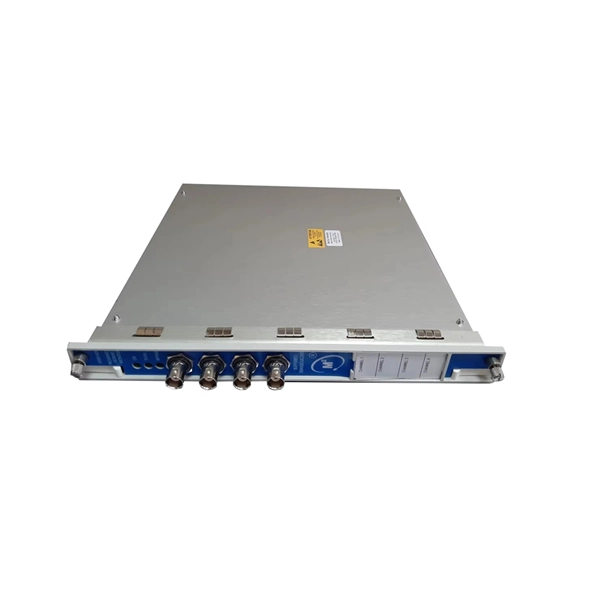
TL-SG5428
This User Guide contains information for setup and management of TL-SG5428/TL-SG5412F switch. Please read this guide carefully before operation. This Guide is intended for network managers
tp-link TL-SG5428 User Manual PDF | Manualsnet
The TP-Link TL-SG5428 is a high-performance managed switch designed for enterprise networks, offering advanced Layer 2 and Layer 2+ features. It provides 24 Gigabit Ethernet ports along with 4
How to change the IP address of the smart and
The CLI commands to change the management IP address and subnet mask are the same on old TP-Link switches and on new TP-Link
Installation Guide
Some measures have been taken for the device to prevent static electricity, but too strong static electricity can cause deadly damage to the electronic elements on the internal circuit board.
TP-LINK TL-SG5428 INSTALLATION MANUAL Pdf
Some measures have been taken for the device to prevent static electricity, but too strong static electricity can cause deadly damage to the electronic elements on
TP-LINK TL-SL5428E USER MANUAL Pdf Download | ManualsLib
The IP-MAC Binding function allows the switch to bind the IP address, MAC address, VLAN ID and the connected Port number of the Host together when the Host connects to the switch.
accessing-the-switch
If you want to access the switch via a specified port (hereafter referred to as the access port), you can configure the port as a routed port and specify its IP
Step 2: Configuring a Static IP Address for the Printer
Step 2: Configuring a Static IP Address for Printer Configuring a static IP address for the printer is crucial to ensure that even during power outages or router issues,
Configuring Network
2.2 Configuring the WAN Connection The router supports six connection types: Static IP, Dynamic IP, PPPoE, L2TP, PPTP and BigPond Cable, you can choose one according to the service provided by
How To Configure Static IP Address In Linux And Unix
This tutorial describes three methods to configure static IP address in Linux and Unix operating systems from command line.
How Do I Configure a Static IP Address?
How to Set It and Forget It: Configuring a Static IP Address How Do I Configure a Static IP Address? This article provides a comprehensive guide to configuring a static IP address, ensuring
How to configure the IP address manually on the
Scenario 4: macOS Step 3. Switch to TCP/IP, select Manually in the Configure IPv4 box, enter the IP address, Subnet mask, and Router (the default gateway), then
configuring_layer3_interface
Layer 2 interfaces are the physical ports on the switch panel. They forward packets based on MAC address table. Layer 3 interfaces are used to forward IPv4 and
3 Ways to Assign a Static IP Address to a Printer
3 Ways to Assign a Static IP Address to a Printer Assigning a static IP address to a printer is a practical and beneficial step for both home and office environments. A static IP address
How to Set Up a Static IP Address
How to Set Up a Static IP Address DHCP is fine, unless you''re looking to perform advanced networking tasks. Here''s how to set a Static IP address (or DHCP reservation) for any
Configuring the IP Settings on a Linksys Managed Switch for Business
In this article, you will learn how to configuring the IP Settings on a Linksys Managed Switch for Business. The IP Settings page contains fields for assigning static or DHCP IP addresses.
Configure IP Address Settings on a Switch using the CLI
To remotely manage the device, an IP address must be defined to access the switch. This allows you to easily configure or troubleshoot the device through the web-based utility, Telnet, or Secure Shell
Configuring LAG
To avoid traffic bottleneck between the servers and Switch B, you also need to configure LAG on them to increase link bandwidth. Here we mainly introduce the LAG configuration between the two switches.
Related Video Reference
This video was associated with the source search result. Verify technical details against current product documentation and project requirements.