
Technical notes
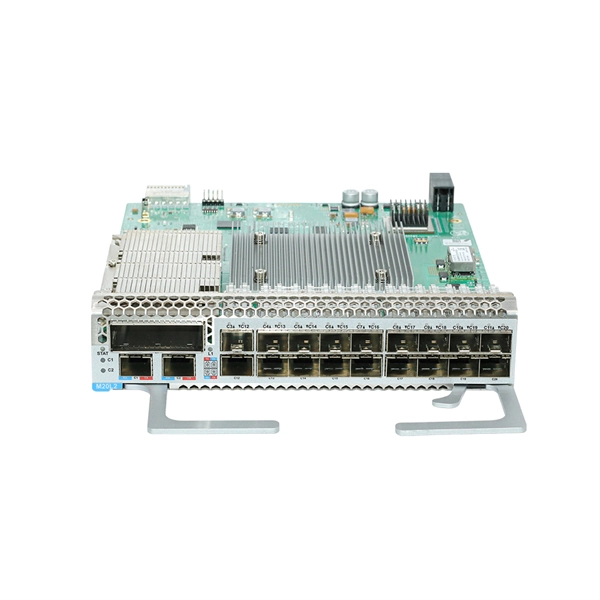
How to configure fiber optics on a Cisco switch
By following this step-by-step guide, you''ll be able to configure your Cisco switch for fiber optics. It''s important to keep in mind that your specific switch configuration may vary, so it''s always
Fiber Optic Switch Guide: Definition, Connection Methods, Cabling
A practical B2B guide explaining what a fiber optic switch is, how to connect fiber optic cable to Ethernet switches, how to connect two switches with fiber, how to disconnect fiber safely,
Configuring Fibre Channel Interfaces
Each physical Fibre Channel interface in a switch may operate in one of several port modes: E mode, TE mode, F mode, and SD mode (see the figure below). A physical Fibre Channel interface can be
Configuring Fibre Channel Interfaces
On Cisco Nexus 5000 Series switches, Fibre Channel capability is included in the Storage Protocol Services license. Ensure that you have the correct license installed (N5010SS or N5020SS) before
Scalance XC-206 2SFP Installation Instructions
This section describes how to assign IP address to the Scalance XC206-2SFP-MM Multi Mode or XC206-2SFP-SM Single Mode Ethernet Fiber Switch, how to configure the Scalance Switch via
Quick start guide
Controlling the switch via RS422/485: Fibersystem AB is an inventive Swedish company who since 1982 has been working with the application of fiber optic technology in the delivery of solutions fulfilling the
EdgeSwitch ES-12F Quick Start Guide
Thank you for purchasing the Ubiquiti Networks® EdgeSwitch® Fiber. This Quick Start Guide is designed to guide you through installation and also includes warranty terms.
Basic Switch Configuration
The Switch Configuration Example and Commands table provides the basic steps and commands in a checklist format to quickly configure a switch for fabric and possible FICON operation.
Versitron/versitron-Fiber-Optic-Switch-Installation-Setup-Guide
This comprehensive guide walks you through everything you need to know about Fiber Optic Switch Installation, SFP Port Setup, Network Wiring, and selecting Compatible Accessories like SFP
How to Install an SFP Module: Step-by-Step Guide
Learn how to install an SFP module correctly with step-by-step instructions, safety tips, hot-swap rules, and troubleshooting for reliable network links.
Unlocking the Power of Fiber Switches: A Comprehensive Guide to
After the physical configuration, switch on the switch and connect it to the network via Ethernet or optical connection, depending on the connectivity needs. For the configuration, use the
Set Up a Fiber-Optic Network in Your Home or Office (2026)
Learn about the various fiber-optic components used for running fiber in your house, office, or between buildings. Find out how to use fiber optics for high speed networking, electrical
Design Guide
If the design is a corporate network, the design will probably include a fiber optic backbone connecting wiring closets which house switches that convert the fiber backbone to UTP copper for cable
Complete Guide to Fiber Optic Home Networking | BroadbandSearch
Build a home fiber network for 1-2 Gbps speeds with this complete guide to installation, troubleshooting, and performance.
T-Mobile Home Internet | Reliable 5G Wireless Home WiFi
What is the difference between T-Mobile Home Internet and T-Mobile Fiber? T-Mobile Home Internet is our fixed wireless internet service, which runs on our 5G
Fiber Optic Switch Guide: Definition, Connection Methods, Cabling
Fiber Optic Switch Guide: Definition, Connection Methods, Cabling, Disconnection and FAQ A practical B2B guide explaining what a fiber optic switch is, how to connect fiber optic cable to
Deploying a Fiber Optic Physical Infrastructure within a Converged
This application guide helps designers and installers select and deploy fiber optic media in plant environments. It details fiber optic network infrastructure solutions that provide high-performance
LEONI EOL 1X2 SWITCH OPERATION MANUAL
View and Download LEONI Eol 1x2 operation manual online. Fiber optic Switch. eol 1x2 switch pdf manual download. Also for: Eol 1x12, Eol 1x4, Eol 2x2, Eol 1x8,
Related Video Reference
This video was associated with the source search result. Verify technical details against current product documentation and project requirements.