
Technical notes
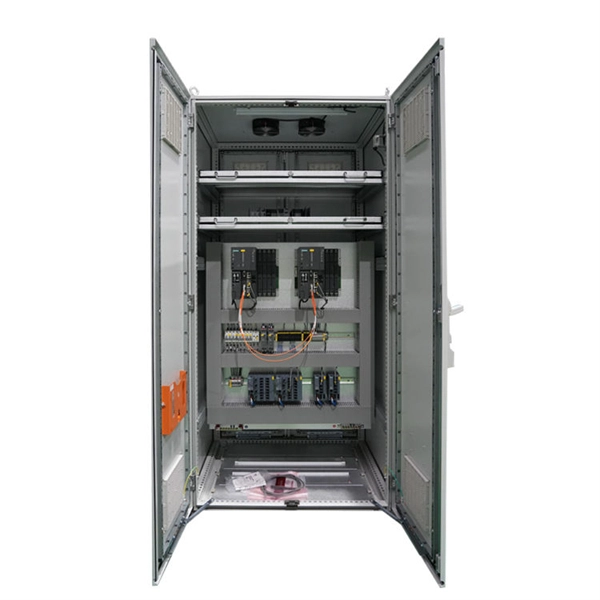
Network Cabinet Essentials: Organizing Your Network
Proper installation and setup of a network cabinet are crucial for ensuring the longevity and efficiency of your network equipment. Following these
The Ultimate Guide to Setting Up a Home Network Wiring Cabinet
Following these step-by-step instructions will help you set up a well-organized and efficient home network wiring cabinet, ensuring a reliable and high-performing network for your household.
Network cabinet placement and wiring tips
In order to meet the normal operation of these devices in the cabinets, when the computer room cabinets are full of various cabinets and devices, we need to consider how to place the...
Network Cabinet & Rack-Management Best Practices | ACCL
Use one patch-lead colour per network function: blue for user data, red for core uplink, yellow for IP telephony, violet for security. Do not multiply colours per VLAN; they change too often.
Create a rack diagram with the best FREE Network Rack Planner
With our Server Rack Diagram Template, you can easily create a helpful guide on how to set up your rack. Follow the export and mount your network rack hardware accordingly.
The Ultimate Guide to Ventilation and Cooling for Home Networking
This comprehensive guide will walk you through everything you need to know about keeping your home networking cabinet cool and running smoothly. Whether you''re a tech enthusiast building a home lab
Wall Mount Network Cabinet Cable Management Best Practices:
Whether you''re managing a small office network or a complex data center, effective cable management in your wall mount network cabinet directly impacts performance, safety, and operational costs.
How to Rack and Organise Network Equipment Properly | Avoid
Learn how to rack and organise network equipment properly. Avoid common mistakes with cabinets, racks, PDUs, cable management and patch panels for a reliable network setup.
Network Cable Management: Complete Guide
Master network cable management with this complete guide. Learn best practices, tools, and tips to keep your setup organized, efficient, and easy to
Network cabinet design considerations
As your network grows, enclosures may need to be installed in various customer premises or locations-network room, colocation room, factory floor, and maybe even a Zone 4 seismic area (see sidebar,
How to Manage Cable Routing Inside a Network Cabinet Efficiently -
Learn how to manage cable routing inside network cabinets efficiently. Discover best practices, tools, and step-by-step techniques to reduce downtime and improve airflow in your data center.
Network Cabinet Setup & Tutorial
++Network Cabinet Setup & Tutorial++ In this video Hayden shows you his new network cabinet setup! It has a patch panel, cable tidier and of course, his TP-Link Gigabit Managed Switch.
How to Install a Network Cabinet & Data Drops in an Office
Learn how to install a network cabinet and data drops in an office space like a pro! In this step-by-step tutorial, we''ll guide you through everything from mounting the rack cabinet to running
How to install RackMount Network Cabinet?
How to install RackMount Network Cabinet?, Gometal is China manufacturer & supplier who mainly produces network cabinet, network rack,
The Essential Guide to Network Cabinet Systems: Everything You
Whether you''re an IT professional or simply someone interested in understanding how network cabinet systems work, this comprehensive guide will provide you with all the essential
How do I mount equipment in this network box?
Ok, I was a at a client site today doing a walkthrough for the network install in their new office space. During the design phase, I had said they should
How to Plan A Server Rack Installation | Cabinet Layout Guide | Home
A guide to planning a server rack installation and cabinet layout including cabling, cooling, power and monitoring considerations, by Server Room Environments
Network Rack Setup And Cable Management
In this video we take a look at some of the equipment I use when setting up a network rack along with products I use for cable management.Vertical cable vmax...
Related Video Reference
This video was associated with the source search result. Verify technical details against current product documentation and project requirements.