
Technical notes
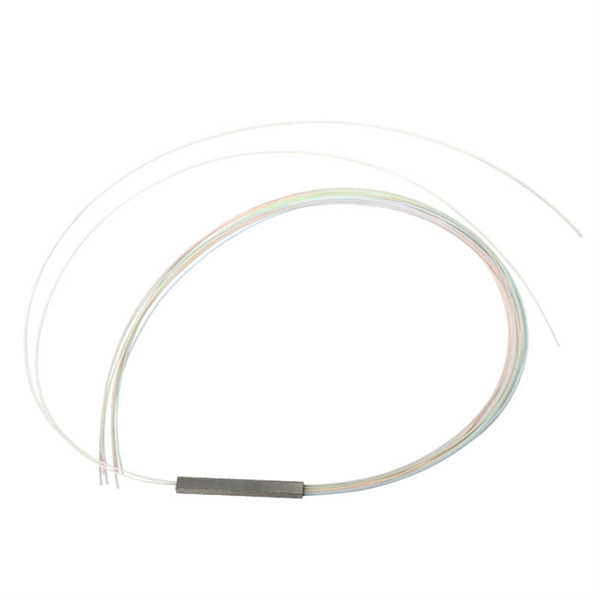
PLC Splitter, Fiber Splitters, Always Ready for PON & FTTX
FS PLC Fiber Optic Splitters, Bare/Blockless/ABS/LGX Splitter/Rack Mount Types, support 1xN light distribution, with low IL and PDL for high-reliability transmission. Deploying compact FS PLC Splitters
Comprehensive Guide to Optical Splitters
What is an Optical Splitter? An optical splitter is a crucial passive fiber optic device that splits and combines optical signals. It can distribute the optical energy transmitted through a single
Optical Distribution Box | Fiber distribution box
Fiber distribution box is made of high-strength engineering plastics, anti-UV, anti-aging ability. The distribution box is sealed adopts buckle + two screw type
Optical Distribution Boxes – PPC Broadband | Product Catalog
Optical Distribution Box 48 (ODB-48): This outdoor enclosure is designed for FTTH PON and P2P networks. It can accommodate up to 96 fusion splices, plus 24 SC simplex or LC duplex adapters
Fiber Optic Splitter Box: The Complete Selection & Installation Guide
Fiber Optic Splitter Box: The Complete Selection & Installation Guide for FTTH Networks Learn how to select, spec, and install fiber optic splitter boxes for FTTH deployments. This complete
FTTH Products | OLT, ONU, Optical Splitters, Fiber Distribution Box
Discover essential FTTH products like OLT, ONU, optical splitters, and fiber distribution boxes. Learn how to design and deploy an efficient FTTH network for high-speed fiber optic home connectivity.
Optical Splitters for Central Office/Headend
CommScope offers a portfolio of bare and connectorized splitters/couplers in a wide range of styles and split ratios, and splitter modules for inside plant (ISP) and
Ultimate Guide to Optical Splitters for FTTH & GPON
Master optical splitter selection for FTTH & GPON networks. Compare PLC vs FBT, analyze insertion loss charts, and optimize your ODN architecture today.
What is the difference between a Splitter Distribution Box, ODF, and
In modern FTTH (Fiber to the Home) and optical communication networks, three types of fiber distribution products are widely used: Splitter Distribution Box, ODF (Optical Distribution
What is Fiber Optic Splitter and Types
What is a Fiber Optic Splitter? Fiber optic splitter is a passive optical device used to distribute optical signals, which can divide input optical signals into multiple outputs to meet the fiber
The FOA Reference For Fiber Optics
Most FTTH networks are based on a PON network. The drawing below defines the network: a "feeder" cable extends from the OLT (optical line terminal) in the CO
Fiber Optic Distribution Boxes: The Key to Seamless Connectivity
. Fiber Optic Splitters: Divide a single signal into multiple outputs for efficient distribution .Patch Panels: Offer a user-friendly interface for connecting fibers to network devices Installation and Best Practices
Guide of Fiber Optic Terminal Box
There are two types of distribution boxes: box-type and splice tray-type, depending on the type of splitter used. Terminal boxes are suitable for a
FTTH Splitter Distribution Box FTTH Box ODF Closure
FTTH Splitter Distribution Box Sopto''s Outdoor splitter distribution box is used as a termination point for the feeder cable to connect with drop cable in FTTx communication network system. It integrates
Fiber Box Types and Applications in FTTH Network
Fiber optic cable connects each other with different fiber boxes, such as fiber cabinet, fiber distribution box, fiber termination box and splice closures. HOC offers all kinds of fiber box and fiber
Expand Your Fiber Optic Network Easily with Optical Splitters
Looking to expand your fiber optic network without the complexity and cost of multiple fiber runs and active equipment? In this video, we''ll introduce you to passive optical splitters, a simple
Understanding Fiber Optic Splitters and How They Work
Fiber optic splitters play a vital role in modern communication networks by facilitating the efficient and simultaneous distribution of optical
Outdoor Fiber Optic Distribution Box Manufacturer
Fiber distribution terminal box mainly include fiber splice box, fiber splitter box, access terminal box for outdoor FTTH drop cable construction.
Related Video Reference
This video was associated with the source search result. Verify technical details against current product documentation and project requirements.