
Technical notes
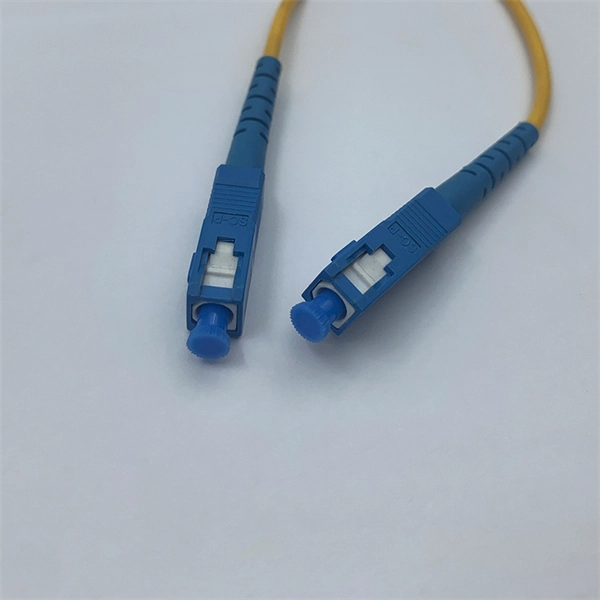
How to Connect a Splitter to Another Splitter: A
In this guide, we''ll explain how to safely connect a splitter to another splitter, covering both fiber optic and coaxial setups.
How to Use Wire Splitter -: Examples, Pinouts, and Specs
Learn how to use the Wire Splitter - with detailed documentation, including pinouts, usage guides, and example projects. Perfect for students, hobbyists, and developers integrating the Wire Splitter - into
How to Use a Cable Splitter – Step By Step Guide
To use a cable splitter, first ensure that your cable signal is strong enough for splitting. Then, locate the splitter input and output ports and connect your cables accordingly.
Troubleshooting Common Issues with Ethernet Splitters
Ethernet splitters are a handy tool for expanding a network connection in situations where you need to connect multiple devices to a single Ethernet cable. However, they aren''t without
How to use a cable splitter for TV and Internet?
A cable splitter, technically a passive RF (Radio Frequency) distribution device, takes a single incoming coaxial cable and divides the signal to multiple outputs.
Splitter for Ethernet Cable: How to Use & What You Need
Adding an Ethernet splitter or expanding your wired network raises common questions. Below are answers to help you understand your options and make the best choice for your setup.
2-way splitter Instructions | Manualzz
Instructions for connecting a 2-way splitter to your coaxial cable and two devices. This guide covers powering off devices, connecting the cable to the splitter, and then connecting the splitter to the back
STARTECH RJ45SPLITTER QUICK START
View and Download StarTech RJ45SPLITTER quick start manual online. 2-to-1 RJ45 Splitter Cable Adapter - F/M. RJ45SPLITTER adapter pdf manual download.
Ethernet Cable Splitter Wiring Diagram
We''ll also provide an overview of the different types of Ethernet cable splitters available on the market today and offer step-by-step instructions on how
How to Split a Coaxial Cable (While Minimizing Signal
Splitting or dividing a coaxial cable to provide signal to multiple devices is a straightforward task that mainly involves attaching your existing
Split the Signal: A Comprehensive Guide to Setting Up Your HDMI Splitter
Will an HDMI Splitter Impact the Quality of My Audio and Video Signal? A high-quality HDMI splitter should not significantly impact the quality of your audio and video signal. However,
What Is a Headphone Splitter and How Does It Work?
However, its simplicity can be deceptive. The splitter''s real magic lies in its ability to replicate an audio signal accurately, ensuring each connected listener receives the same auditory
Fiber Optic Splitter: How It Works & Types Guide
This guide demystifies fiber optic splitters, explaining their design, operating principles, types, key specifications, and real-world applications.
Signal Isolation
A signal splitter is a 4-wire signal isolator/converter that takes one signal input and provides two or more identical outputs proportional to the input. All inputs and outputs, and power, are isolated from one
Splitting the Sound: A Comprehensive Guide to Using an Audio Splitter
By understanding the different types of audio splitters and how to use them effectively, you can make the most out of your audio equipment and enjoy high-quality audio. What is an Audio
What is an Ethernet Splitter?
What Is an Ethernet Splitter? An Ethernet splitter is a passive hardware device designed to multiplex a single network cable run to accommodate two simultaneous device connections. While it
XLR & Mic Splitters: How Well Do They Work? (Full Guide)
How Do XLR Splitters Work? XLR splitters are used in many pro audio applications for recording sessions, live applications, broadcasting, and audio monitoring. They are used by professionals to
Audio Interface Setup For Beginners | A 4-Step Process For Virtually
If you need some help setting up your audio interface, you''ve found the perfect video. I''ll help you get your audio interface connected and set up for recording with a DAW, streaming, or video
Related Video Reference
This video was associated with the source search result. Verify technical details against current product documentation and project requirements.