Skip to content
QK FIBERSystems Send a project enquiry
Reference library

Installation of Network Cabling Rack

Published
  • Installation
  • Network
  • Cabling
Source context

AI source overview

A successful rack network cabling installation involves careful planning, proper rack and equipment selection, structured cable management, testing, and documentation to ensure reliability, scalability, and professional performance. 1.

Planning and Site Preparation

Begin by evaluating the installation site. Measure available space, ceiling height, and floor load capacity to ensure the rack can accommodate all equipment and future expansion. Consider airflow, cooling, and proximity to power sources.

Decide whether to use open-frame racks for maximum airflow or enclosed cabinets for added security and dust protection. Determine the number of rack units (U) required, where 1U equals 1. 75 inches of vertical space, and plan for extra space for future growth.

2.

Rack and Equipment Selection

Select racks that match the depth and weight requirements of your servers, switches, patch panels, and UPS devices. Ensure the rack can support the total load and allows sufficient clearance for cables and airflow. Use racks that are compatible with standard 19-inch mounting for network devices.

3.

Cable Management and Hardware Preparation

Use professional-grade cabling (Cat6, Cat6A, or fiber-optic) to support high-speed data transmission and future scalability. Employ cable management accessories such as Velcro straps, cable organizers, and trays to maintain neatness and prevent damage. Avoid zip ties that can crush cable jackets.

Color-code and label all cables with source, destination, and function to simplify maintenance and troubleshooting. 4.

Installing Patch Panels and Network Devices

Mount patch panels and switches in the rack according to your network design. Maintain proper spacing to allow airflow and easy access. Use cage nuts and rack screws to secure equipment.

Ensure that cables are routed without sharp bends, respecting the manufacturer's bend radius guidelines to prevent signal degradation. 5.

Running and Terminating Cables

Run cables through conduits or cable trays, keeping them separate from power lines to avoid electrical interference. Terminate cables at patch panels and network devices using proper connectors. Test each termination for continuity and signal integrity using certified testing equipment, such as Fluke Networks DSX testers, to comply with ANSI/TIA standards.

6.

Testing and Certification

After installation, perform comprehensive testing to verify connectivity, bandwidth, and signal quality. Document test results for each link, including floor plans, rack elevation diagrams, and certification reports. This ensures compliance, supports warranties, and provides a reference for future troubleshooting or expansion.

7.

Final Configuration and Optimization

Configure network devices, assign IP addresses, and optimize switch and router settings. Ensure proper airflow and cooling by checking that cables do not obstruct ventilation paths. Maintain organized cable bundles and leave extra slack for future modifications.

8.

Documentation and Handover

Provide detailed documentation including rack layouts, cable labeling, test reports, and warranty certificates. This ensures that IT teams can efficiently manage, maintain, and expand the network infrastructure over time. By following these steps, a rack network cabling installation will be reliable, scalable, and professional, minimizing downtime and supporting high-performance network operations for years to come.

Research context

Reference summary

How To Wire a Server and Network Rack | Tips & Best Discover rack unit sizing, cable management, labeling, bonding, and grounding for optimal performance a.

From reference to enquiry

Questions for your project

Use these editorial prompts alongside the linked excerpts. They identify items to confirm for your project.

Technical notes

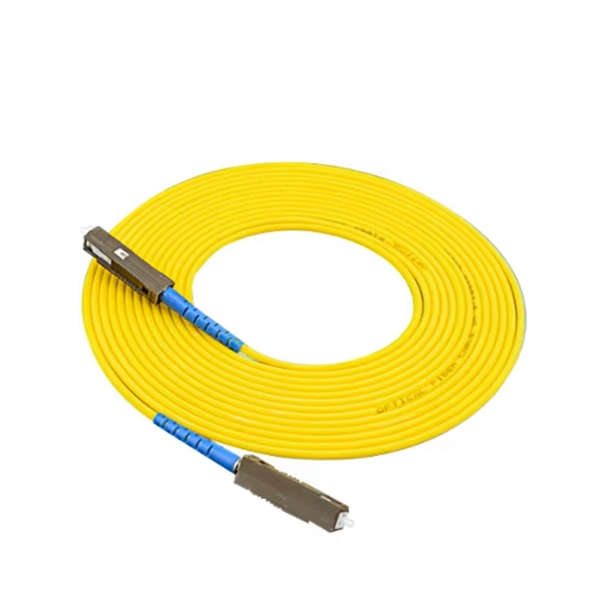
Illustrative equipment image

Network Rack Installation 101 – VCELINK

In this guide, we''ll see the tools you''ll need, the best and proven practices for server rack setup and network rack setup, and the detailed steps

Best Practices for Network Rack & Cabinet Installation

Implementing best practices for network rack and cabinet installation significantly enhances the performance, reliability, and longevity of your network infrastructure.

Network Cabling Installation Guide: Step-by-Step

This comprehensive guide covers the essential steps, industry best practices, common pitfalls, and safety considerations for successful network

Network Cabling Installation Guide 2025: Best Practices

Comprehensive 2025 guide for network cabling installation covering planning, setup, & troubleshooting to build a reliable and future infrastructure.

How To Wire a Server and Network Rack | Tips & Best Practices

This guide explains smart rack cabling steps that work for homes and small businesses. You will learn layout basics, spacing rules, labeling habits, and grounding steps.

How to Rack a Server: Step-by-Step Guide & Best Practices

Learn how to rack a server with this detailed step-by-step guide. Includes setup tips, cable management, cooling, and safety practices.

Cabling System Network Rack: Design and Installation Guide | Guide

Cabling System Network Rack: Design and Installation Guide | Guide For All IT Professionals🔥Description: This comprehensive guide covers the design and inst...

Network Cable Management & Organization Guide

Said plainly, the term hot mess should NEVER describe your network cable management strategy. Rather, cable organization should be part of your

Network Rack Installation 101: Basics You Need to Know

Learn rack types and other important things for server rack setup, best practices for a reliable and scalable network infrastructure.

4 Steps to Selecting Network Cabling Lengths and Mounting

When planning a new or upgrading a current rack installation, decide on the placement of racks and network equipment that require power or data. This will give you a general idea of the length of

Rack Mount Cable Management

The server rack serves as the essential core element of the entire rack mount cable management, housing all critical equipment. As such, it is imperative to

How to Ensure Network Efficiency With Rack and

By using cable management panels and labeling all connections, small businesses can ensure quick and easy troubleshooting, minimizing

Network Cabinet Cabling: Guide & Documentation Tips

The most important thing in brief: Network cabinet cabling describes the structured connection and arrangement of all IT components in a server rack. The aim is a secure, maintainable and scalable

Organising and wiring a rack cabinet: a complete guide

Next, we move on to installation of the vital components, such as the servers and other network management devices. The multi-socket devices, patch panels and

New Rack

In today''s episode "New Rack - Step By Step Tutorial". I decided to made this tutorial when i visited a friend of mine. He likes all tech stuff and he is alw...

Comprehensive Guide to Network Cabling Installation

Discover the essentials of network cabling installation. Learn about best practices, cable types, troubleshooting, and more for efficient connectivity.

Setting Up a Server Rack – Server Rack Installation

If you want to learn more about the correct way of equipment installation, you''ll find a network rack installation guide in this article. Server Rack

Network Cabling System Installation Complete Guide 2024

Discover how PC & Cable can help design and install a robust and scalable network cabling system tailored to your business needs.

Related Video Reference

This video was associated with the source search result. Verify technical details against current product documentation and project requirements.

Share your network requirements

Share the fiber interfaces, termination capacity, cable route and evidence required for handover.

Send a project brief